The Author Website Homepage Checklist
by Anthony Bedford · AI-assisted draft, reviewed by Anthony Bedford · How we write
A short checklist for your author website, the mistakes that cost the most readers, and the layout strong author sites follow.
What should an author website homepage do?
An author website homepage has one job: tell a new visitor who you are, what you write, and what to do next, in under five seconds. Most traffic from social media, search or a word-of-mouth recommendation lands on the homepage first, so a visitor who cannot tell what to do next leaves before they see your books.
What goes on the homepage? A ten-point checklist
- Your name and genre, above the fold. No guessing.
- Your latest or featured book, with a cover image and a buy link.
- One main call to action, such as "Get the book" or "Join the list". Not five competing buttons.
- A newsletter signup, visible without scrolling if possible.
- A short bio teaser: a sentence or two, linked to your About page.
- Social proof, such as reviews, awards or press mentions, if you have them.
- Recent blog posts or news, so the site looks active.
- A mobile-friendly layout. Most visitors will see your site on a phone.
- A fast load time. Large, uncompressed images slow the page and hurt search ranking.
- Working navigation with Books, About and Contact clearly visible.
Which author website mistakes cost the most readers?
Most author sites lose readers to a handful of small, fixable problems, not one big flaw. Fixing them is usually faster than getting more traffic.
- No clear call to action on the homepage. Visitors do not know what to do next, so they leave.
- Books buried more than one click deep. Link your catalog from the main navigation.
- A hidden or missing newsletter signup. It is the highest-value action on your site and is often left out.
- Slow pages from oversized images. Every extra second of load time increases bounce rate.
- Outdated content. An "upcoming release" banner for a book that already launched looks like neglect.
- No mobile layout. A desktop-only page loses phone visitors right away.
- A generic, copy-paste bio. See our author voice guide for how to fix it.
What does a strong author website layout look like?
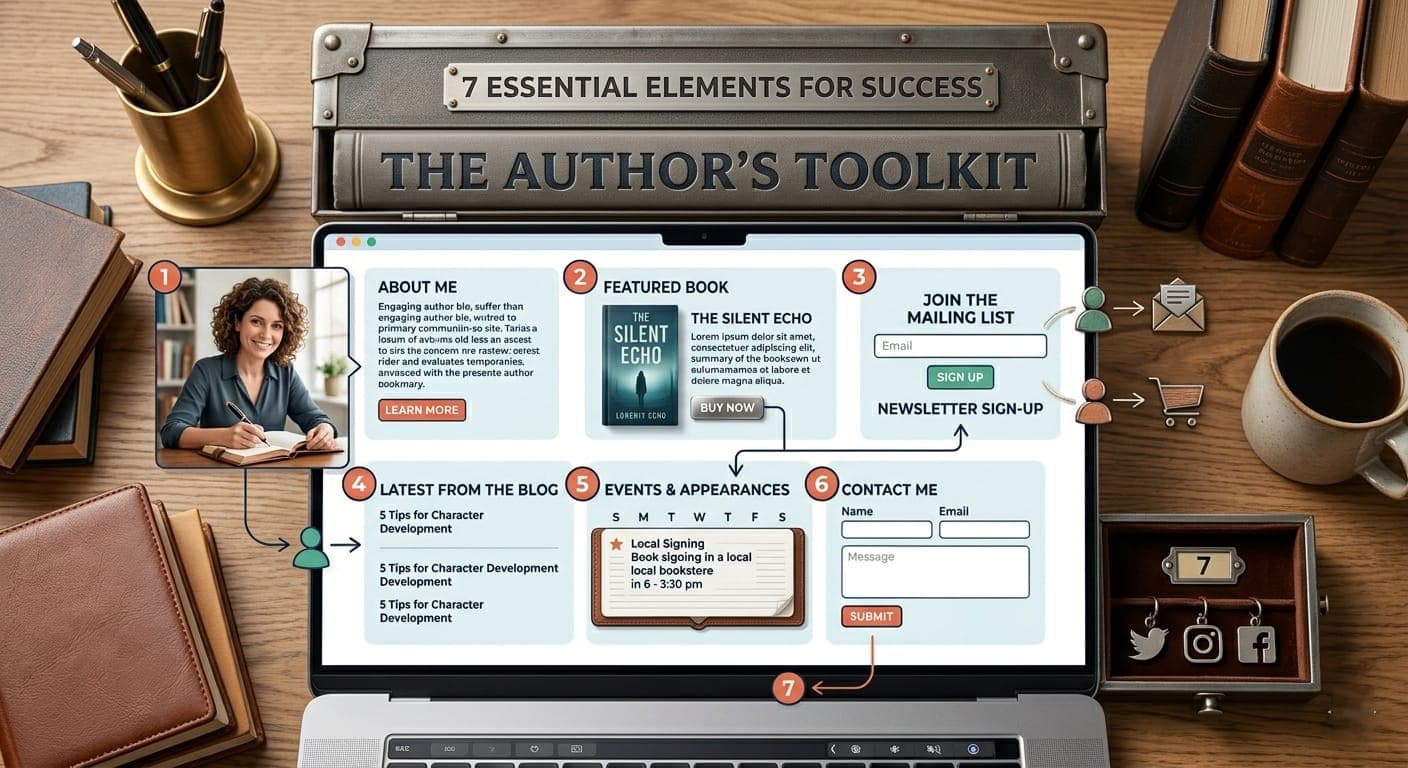
Author sites that work tend to follow the same order: hero with your name, genre and featured book, then a newsletter signup, a preview of your book catalog, an About teaser, recent blog posts, and a footer with social links. The order matches how readers scan a page, from a big first impression down to a low-commitment action (subscribing) before anyone asks for a purchase.
Other traits of sites that work: a book catalog that looks like a shelf with covers, blurbs and buy links, not a wall of text; an About page with a real photo of you, not a stock image; a newsletter signup in more than one place (homepage, footer, after blog posts); and a blog or news section, which gives search engines fresh pages to index.
A catalog linked from the main navigation and featured on the homepage will convert better than the same catalog hidden in a dropdown menu.
How do I check my own site in five minutes?
Open your site on your phone. Time how long it takes to find your latest book and buy it. If it takes more than two taps, fix that first. Then check whether a newsletter signup is visible without scrolling. If not, add one.
Frequently Asked Questions
What should be above the fold on an author website?
Your name, genre, and featured or latest book, plus one clear call to action such as a buy link or newsletter signup.
How many calls to action should a homepage have?
One primary call to action works best. Too many competing buttons dilutes visitor attention and lowers conversion.
Does my homepage need a newsletter signup?
Yes. It is the single highest-value action a visitor can take besides buying a book, since it lets you reach them again later at no cost.
How many pages should an author website have?
At minimum: Home, Books, About, and Contact. Most authors also add a Blog and a newsletter signup page or section.
Do author websites need a blog?
It is not required, but a blog gives search engines fresh content to index and gives readers a reason to return between book releases.
Related Reading
7 Things Every Author Website Needs
Author Websites
Why Your Author Website Needs a Sitemap (and How AuthorLoft Handles It Automatically)
Author Websites
Author Website SEO: 5 Quick Wins That Actually Move the Needle
Author Websites
Author Branding 101: Choosing Colors, Fonts, and a Look That Fits Your Genre
Author Tools
Beyond Social Media: Why Every Author Needs a Website in 2026
Author Websites· Build a homepage that converts·
AuthorLoft themes come with the proven homepage structure already in place — hero, featured book, and newsletter capture included.
Sell books from your own site and keep every reader's email address.
Get Started Free