Best Author Website Examples (And What Makes Them Work)
What separates a great author website from a forgettable one? A close look at the pages, layouts, and details that turn visitors into readers.
2-Minute Summary
The best author websites share a small set of traits: a clear hero section that says who you are and what you write, an easy-to-browse book catalog, a real photo and bio, and an obvious way to join your mailing list. Everything else is secondary.
Why It Matters
Most visitors decide whether to stay on your site within seconds. A cluttered homepage, a buried book list, or a missing "buy" button costs you readers before they ever get to your writing. Studying what strong author sites do well — and what weak ones get wrong — is the fastest way to improve your own.
Benefits of a Well-Designed Author Site
- Faster trust — a clean, professional layout signals you take your career seriously
- Higher conversion — clear calls to action turn browsers into buyers and subscribers
- Lower bounce rate — visitors who find what they need quickly stay longer
- Better SEO — well-structured pages with real content rank higher in search
Step-by-Step: What to Look For (and Build)
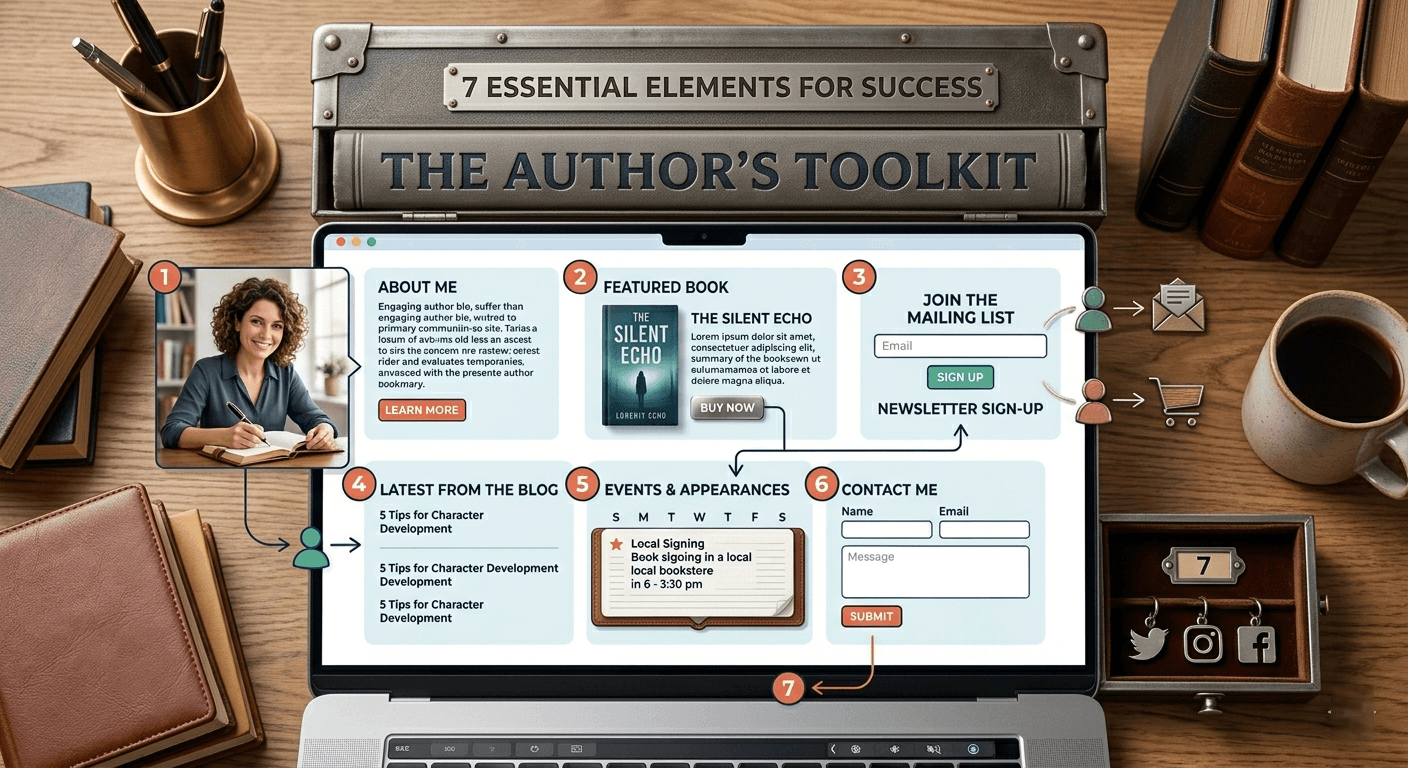
- A hero section with a single, clear message — your name, your genre, and your latest book, above the fold
- A book catalog with covers, blurbs, and buy links — not a wall of text, an actual visual shelf
- An About page with a real photo — readers connect with people, not logos
- A newsletter signup that appears more than once — homepage, footer, and after blog posts
- A blog or news section — shows the site is active and gives search engines fresh content to index
- A contact page or form — makes you reachable for readers, media, and event organizers
Common Mistakes
- Burying the book catalog behind multiple clicks
- Using a stock photo instead of a real author photo
- No newsletter signup anywhere on the homepage
- Walls of text with no visual hierarchy or white space
- Broken or missing "buy this book" links
Examples of Strong Layouts
Author sites that convert well tend to follow a predictable structure: hero → featured book → about teaser → newsletter signup → recent blog posts → footer with social links. This isn't a coincidence — it mirrors how readers actually scan a page, from a big first impression down to a low-commitment action (subscribing) before they're asked to buy.
Frequently Asked Questions
See below.
How AuthorLoft Helps
Every AuthorLoft theme is built around this proven structure by default — hero, book catalog, about, newsletter capture, and blog — so you don't have to design it from scratch or guess what belongs where. Choose a theme, add your books and bio, and the layout best-practices are already in place.
Frequently Asked Questions
What makes an author website look professional?
A clear hero section, a real author photo, a well-organized book catalog with buy links, and a visible newsletter signup. Consistency in colors and fonts across the whole site also matters more than any single flashy feature.
Should I hire a designer for my author website?
Not necessarily. Author-specific platforms like AuthorLoft come with themes already structured around what converts, so you get a professional layout without hiring anyone.
How many pages should an author website have?
At minimum: Home, Books, About, and Contact. Most authors also add a Blog and a dedicated newsletter signup page or section.
Do author websites need a blog?
It is not required, but a blog gives search engines fresh content to index and gives readers a reason to return to your site between book releases.
Related Reading
· See these best practices in action·
Every AuthorLoft theme is built around the layout that converts — hero, catalog, about, and newsletter capture, ready in minutes.
Keep 100 % of every sale and own every reader relationship — no middleman.
Get Started Free